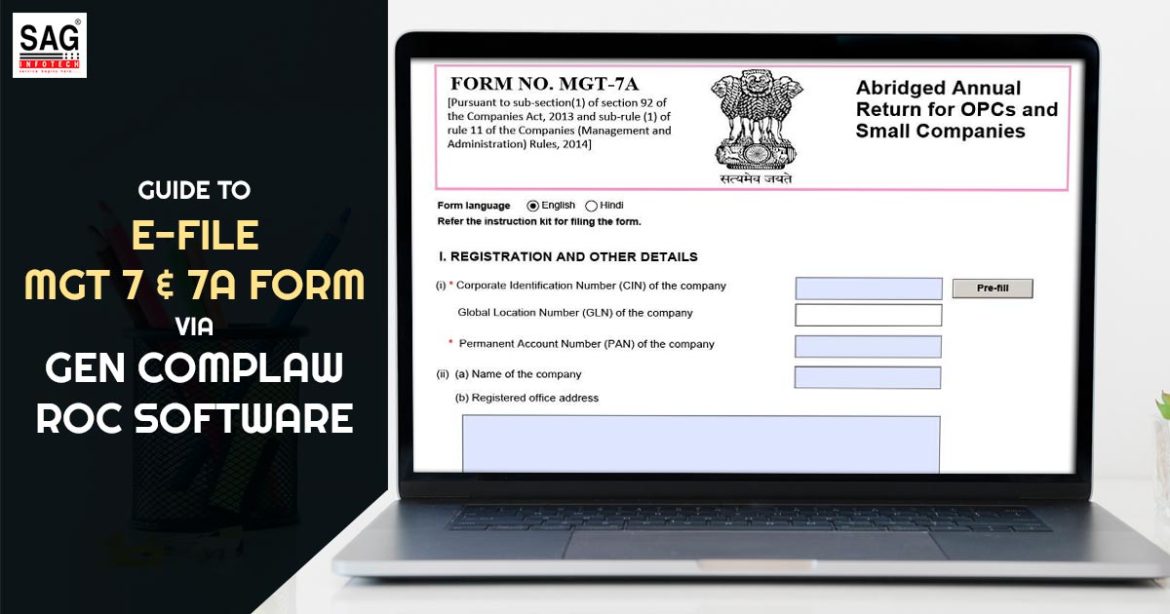
The E Form MGT-7 & MGT-7 A would be the basic form that needs to get given through all the firms whether the same would be a small company, additional to the small firm, or OPC. The firms need to provide their annual returns, shareholding data, and additional details in E Form MGT-7 and MGT-7 A. the same would be needed to file the form as per the MCA complaints.
Who is Obligated to Furnish the Form?
- All firms, public or private enrolled in India should furnish Form MGT-7 every year.
- One-person company (OPC), made in the Finance act 2021 would need to furnish the annual return in Form MGT-7.
- A company furnishes Form MGT-7 for its annual return.
Which Attachments Would be Required to Fill Out this Form?
By attaching the scanned copy of documents beneath the attachment heads, an e-form could be furnished. The requirement of the attachment are:
- List of shareholders, debenture holders
- Approval letter for extension of AGM;
- Copy of MGT-8;
- Optional Attachment(s), if any
When is the Last Date to File the Same Form?
- Form MGT-7 is obligated to be furnished within 60 days from the date of the Annual General Meeting of the firm.
- The deadline for regulating the annual general meeting is on or before the 30th day of September complying with the close of every financial year.
- Typically the 29th of November of every year is the due date for filing form MGT-7.
For E-form MGT 7 Filing, why should I choose Gen CompLaw ROC Software?
Gen Complaw roc software leads the software and has the potential in providing the software with an effective solution for ROC e-forms, XBRL, Resolutions, Minutes, Registers, and various MIS reports. This SAG Infotech product would be utilized to accomplish all the “XBRL” E-filing within the stipulated time with no errors.
The same would be supportive of the statutory compliances under the companies act 2013, which comprises maintenance of the fixed assets enrolled. It has quicker responses in a lesser duration and would have a dedicated performance in a filing.
The Process to File E-forms MGT 7 & 7A Using Gen Complaw ROC software
1) Install the setup of Gen Complaw roc Software on our desktop.
2) After installation of the software, now open the dashboard of the software.
3) Choose the ‘E-form’ option via the dashboard.
4) After choosing the ‘E-form’ choice click on the ‘Annual Return form’ through the dashboard.
5) After that select the E form MGT 7 (when the firm is a company other than a small company or a one-person company) E form MGT-7 A (If a company is a small company and one person company) form under the applicability, via the Annual filing form option.
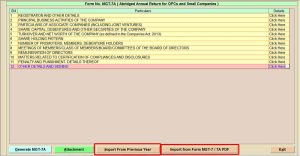
The choice would be provided to import the information in the form of option import via the former year (import of the information of the former year when furnished in the former year in software), import via E Form MGT-7/MGT-7A (you could import the information via already made previous year or current year form the form as well). An individual is enabled to generate E form MGT-7A and even import data from the prior year via the excel or earlier filled-up form.
6) After clicking the E Form MGT 7, the page ‘Registration and Other Details’ would open where the information shall get auto-filled, and one is enabled to revise the particulars mentioned when needed.
7) After that choose the ‘Registration and Additional Particulars-1’ option to file the information of the company such as CIN number, name, address, company type, category, and others. From the prior year, you could enable to import the information or, import via excel sheet or edit itself or insert the data.
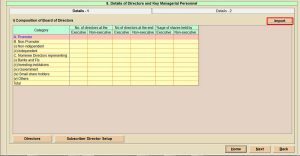
8) Post to that, move the cursor ‘Registration and Additional Items-2’, and Fill in the FY and due date of AGM. Moreover, for importing the earlier years’ features of AGM, the client would tap on the AGM setup.
All the information, specified in the form, since is being imported in the form via choosing the option of import and you could edit the information provided or manually insert the information.
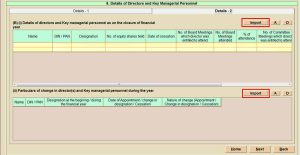
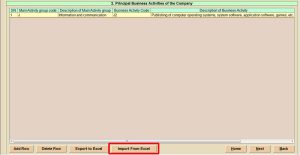
9) After filing the details tap the next button or the home button of the main window of the e-form MGT 7, to the main business director of the company, and move the cursor. At this step, the customer can add details like the activity of the group code via the report and the activity of the business code via the description.
From the outside, you could import the data via excel. Inside the form, all the information is being provided in the form since the same would be imported in the form by choosing the import section indeed you are enabled to modify the information provided or insert the information on your own.
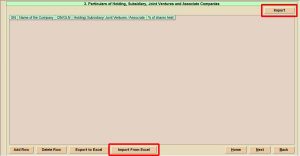
10) Select the holding, subsidiary, joint ventures, and associate companies. The client could add the name of the firm, CIN number, and various existing shares.
All information would be provided inside the form since the same would get imported via the form by choosing the import option you could modify the information provided or insert the same manually.
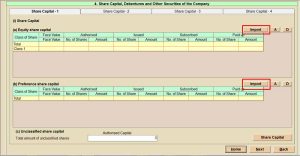
11) Drag the cursor on share capital debenture, additional security of the company. In four segments the same is separated. In the same segment, the client inserts the face value given, subscribed, and paid-up equity along with the preference share capital.
All the information would be furnished in the form since the same would be imported in the form by choosing the option of import indeed you could modify the information provided or insert the information manually.
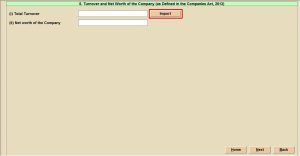
12) Move to the next step turnover and the net worth of the firm. Towards this field add the turnover which is summed along with the net worth of the firm.
The complete information would be given in the form since the same would be imported into the form by choosing the import option, you are enabled to revise the information provided or manually insert the data.
13) Drag the cursor to the next choice, and fill in the data of the shareholding pattern. The customer requires to go to the number of shares holding with the age and the segment in the current field.
In the form, all information would be given since the same would be imported in the form by choosing the option of import indeed you could modify the information provided or insert it manually.
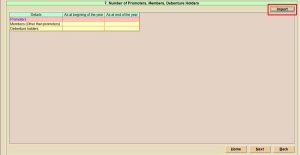
14) Opt for the option the ‘number of promoters, members and debenture holder’. The member information, promoter, and others could be incurred via the client at the start and finish of the year. The client could import the details of the members via an excel sheet.
All the information would be given in the form since the same shall get imported in the form via choosing the import option indeed you could modify the information provided or insert the information on your own.
15 (I) On the information of the director and the key managerial personnel, you could move the cursor. For the identical field, the customer could sum up the details of the directors at the initial and ends of the year.
All the information would be furnished in the form as the same would be imported in the form by choosing the import option indeed you could edit the information provided or insert the information on your own.
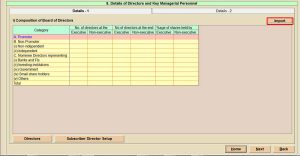
15 (ii) Move the cursor on the next tab director details along with the key managerial personnel information 2 with the information choice of the person name, DIN/PAN, designation, number of shares, board meeting, and others.
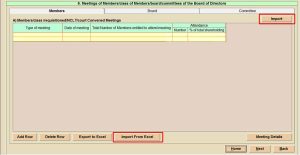
16) Select the next option meeting of members, class of members, board and committees of the board of directors for the class and the date of the meeting, the total number of meetings and attendance number, and the shareholding total per cent.
The customer may import the details of the director via excel. All the information would be mentioned in the form since the same would be imported in the form by choosing the import option and you would be enabled to modify the information mentioned or insert the information on your own.
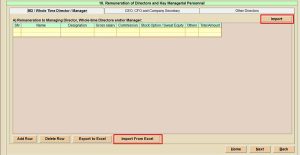
17) After filling in the details of the board of members, choose the next option ‘remuneration of director and key managerial personnel. Towards the course, the customer would be able to compute the name, designation, gross salary, commission, total amount, MD particulars, whole-time director, and manager.
All the information would be mentioned in the form since the same would get imported in the form by choosing the import option indeed you can do modifications to the information or insert the information manually.
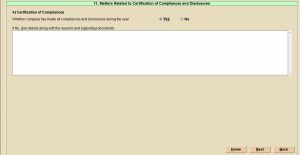
18) Move the cursor on the reference which is applicable to the ‘certification of the compliances and disclosures
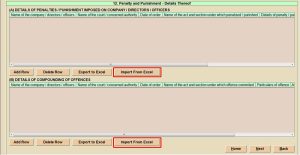
19) Moreover the same step fills in the details of the penalty and punishment imposed on the firm, and upon the directors or on the officers. Towards it, a customer is unable to fill in the name, company, court, date of order, name of the act and section, penalty, and punishment of the business.
When the circumstances are not similar to that then you could import the details of the penalty via an excel sheet. All information would be mentioned in the form since the same shall get imported in the form through choosing the import option, indeed you could modify the information provided or insert it manually.
20) A person with filing is needed in this step to add the stakeholders in the statement and compliance with section 92 of listed companies. Lastly the information of the director and CS in practice.
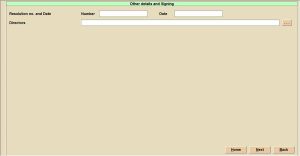
Here we are describing all the steps of filing the MGT 7 & 7A annual forms with the screenshot. If you learn all these steps you can always clear your doubts. Also, you can free download ROC software to e-file forms such as AOC AOC-4, MGT-7, ADT-1, DIR-12,23AC, 23ACA etc.